




Takeout and delivery have become important parts of restaurant operations. Customers want convenient ways to browse menus, place orders, choose pickup or delivery, and pay without unnecessary steps.
For restaurant owners, managing those orders efficiently is just as important as attracting them.
The right online ordering system for takeout and delivery can help restaurants organize orders, maintain accurate menus, manage customer information, and create a smoother ordering experience.
But with so many platforms available, how do you know which features actually matter?
This guide explains what restaurant owners should look for when comparing online ordering systems in 2026.
What Is an Online Ordering System for Takeout and Delivery?
An online ordering system allows customers to place food orders through a restaurant's digital ordering channel.
Depending on the platform, customers may be able to:
- Browse the restaurant menu
- Customize food items
- Add special instructions
- Choose pickup or delivery
- Select an available time
- Pay online
- Receive order confirmations
- Track order status
For restaurants, the system provides tools to receive and manage those orders.
A strong platform should make the process easier for both the customer and restaurant staff.
Why Restaurants Need a Direct Online Ordering System
Many restaurants rely on third-party delivery marketplaces to reach customers.
These platforms can provide exposure, but restaurants may also have to deal with marketplace fees, customer-data limitations, and dependence on an external platform.
A direct online ordering system gives restaurants another way to accept orders through their own digital presence.
Instead of sending customers to a marketplace, restaurants can direct them to their own:
- Website
- Online menu
- Ordering page
- QR code
- Mobile-friendly ordering experience
This can help restaurants build a more direct relationship with their customers.
👉 Related: How to Stop Paying Uber Eats Commissions: A Direct Ordering Guide for Restaurants (2026)
Key Features to Look For
Not every online ordering platform provides the same tools.
When comparing systems, consider these features.
1. Easy Online Ordering
The ordering process should be straightforward.
Customers should be able to quickly:
- Open the menu
- Select items
- Customize their order
- Choose pickup or delivery
- Enter their information
- Pay
- Receive confirmation
The fewer unnecessary steps, the easier it is for customers to complete an order.
2. Mobile-Friendly Ordering
A large portion of online browsing happens on smartphones.
Your ordering system should work smoothly across:
- Smartphones
- Tablets
- Desktop computers
Check the entire ordering process on a phone before choosing a platform.
Look at menu navigation, item selection, checkout, payment, and confirmation.
3. Digital Menu Management
Your online menu needs to stay accurate.
Restaurant owners should be able to easily:
- Add items
- Remove items
- Change prices
- Update descriptions
- Add photos
- Create categories
- Add modifiers
- Mark unavailable items
A difficult menu-management system can create extra work for restaurant staff.
4. Pickup Management
Takeout orders require more than simply accepting payments.
The system should help restaurants organize:
- Pickup times
- Order status
- Customer information
- Special instructions
- Preparation workflow
Customers should know when their order is ready and where to pick it up.
5. Delivery Management
For delivery orders, restaurants need additional control.
Look for features that support:
- Delivery areas
- Delivery scheduling
- Customer addresses
- Order status
- Delivery coordination
- Pickup and delivery separation
If delivery is an important part of your business, consider whether the platform provides a complete restaurant delivery management system rather than just an ordering page.
6. Commission-Free Online Ordering
Pricing is one of the most important factors when comparing ordering platforms.
Some restaurant owners specifically look for commission-free online ordering so they can accept direct orders without marketplace-style commissions.
However, don't look only at the word "commission-free."
Check the complete pricing structure, including:
- Monthly subscription
- Setup fees
- Transaction fees
- Payment processing
- Additional feature charges
- Delivery-related costs
Understanding the full cost helps you make a more informed comparison.
👉 Related: What Is the Best Restaurant Software With No Commission? A Complete Guide for 2026
7. Branded Restaurant Website
Your restaurant's online ordering system should ideally work with your own brand.
A branded website can include:
- Restaurant logo
- Brand colors
- Menu
- Food photos
- About section
- Location
- Contact information
- Online ordering
Instead of making customers search through a marketplace, your website can provide a direct path from discovering your restaurant to placing an order.
8. QR Code Ordering
QR codes can connect offline customers to your online ordering system.
Restaurants can place QR codes on:
- Tables
- Printed menus
- Takeout bags
- Receipts
- Flyers
- Promotional materials
A customer can scan the code and immediately access your digital menu or ordering page.
For restaurants that regularly update menu items or prices, a digital QR menu can also make menu management easier.
9. Multiple Order Types
A restaurant may receive several types of orders.
Your system should make it easy to distinguish between:
Pickup
Customers collect their orders from the restaurant.
Delivery
Orders are delivered to the customer's address.
Scheduled Orders
Customers choose a future pickup or delivery time.
Having these options organized within one system can make order management easier for staff.
10. Online Payments
Customers expect convenient payment options when ordering online.
During a platform trial, test:
- Checkout speed
- Payment process
- Order confirmation
- Refund handling
- Payment records
Also check which payment methods are supported and what transaction-related costs apply.
11. Customer Management
Direct online ordering can create opportunities to build a restaurant's customer database, subject to applicable privacy requirements and customer consent.
Useful customer-management features may include:
- Customer profiles
- Order history
- Contact information
- Repeat-order information
- Marketing permissions
- Customer segmentation
This information can help restaurants create more relevant marketing campaigns.
12. Email and SMS Marketing
Online ordering and restaurant marketing can work together.
For example, restaurants can use customer relationships to promote:
- New menu items
- Special offers
- Seasonal menus
- Discounts
- Catering
- Events
- Repeat-order promotions
Email and SMS tools can make it easier to stay connected with customers after they place an order.
13. Reporting and Analytics
An ordering system should provide useful information about your online sales.
Depending on the platform, reports may include:
- Total online orders
- Order volume
- Popular menu items
- Average order value
- Customer activity
- Pickup orders
- Delivery orders
- Sales trends
The goal is to turn order information into useful insights for restaurant operations.
14. Easy Staff Management
Your employees are the people who will use the system every day.
During a trial, have staff members test common tasks such as:
- Receiving an order
- Updating order status
- Editing a menu item
- Checking customer information
- Managing pickup orders
- Handling delivery orders
If basic tasks are difficult, the system may create unnecessary training requirements.
Comparing Online Ordering Systems
Before choosing a platform, create a comparison based on your restaurant's actual requirements.
| Feature | What to Check |
| Online Ordering | Simple customer checkout |
| Mobile Experience | Works well on smartphones |
| Menu Management | Easy updates |
| Pickup | Scheduling and order management |
| Delivery | Delivery workflow |
| Payments | Convenient and secure checkout |
| Pricing | Clear total cost |
| Website | Branded ordering experience |
| QR Menu | Easy customer access |
| Marketing | Email and SMS tools |
| Customer Management | Profiles and order history |
| Reporting | Useful sales information |
| Staff Tools | Simple daily operation |
| Support | Accessible assistance |
The best fit depends on what your restaurant actually needs rather than how many features a platform lists.
Direct Ordering vs Third-Party Marketplaces
Restaurants generally have different options for accepting online orders.
Third-Party Marketplaces
These platforms can connect restaurants with customers through a shared marketplace.
Potential considerations include:
- Marketplace commissions or fees
- Dependence on the platform
- Customer relationship management
- Branding limitations
Direct Online Ordering
A restaurant can accept orders through its own website or ordering system.
Potential benefits include:
- Greater control over branding
- Direct customer interaction
- More control over the ordering experience
- Opportunity to promote the restaurant directly
Many restaurants may choose to use both approaches depending on their business model.
How to Choose an Online Ordering System
Before signing up, ask these questions:
Does it support both takeout and delivery?
If your restaurant offers both, make sure the system handles each workflow.
Is it commission-free?
Understand exactly what "commission-free" means and check for other charges.
Does it include a restaurant website?
A branded website can help create a direct ordering channel.
Can I manage my menu myself?
Restaurant owners should be able to make routine menu changes without depending on technical support.
Does it include marketing tools?
Built-in email and SMS marketing can reduce the need for additional software.
Can I test it before committing?
A free trial can help you evaluate the platform with your actual restaurant workflow.
Why myRestro Can Support Direct Takeout and Delivery
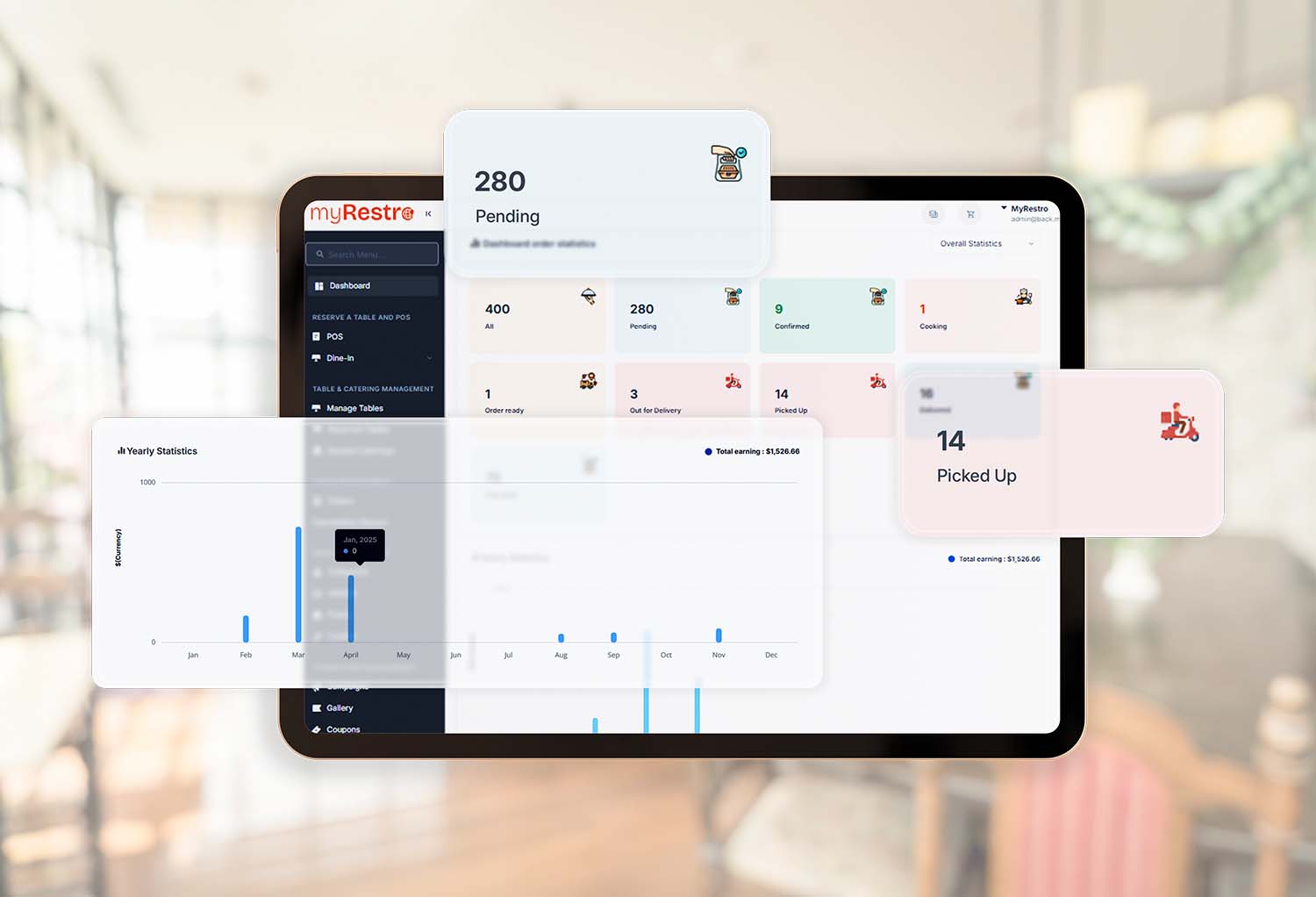
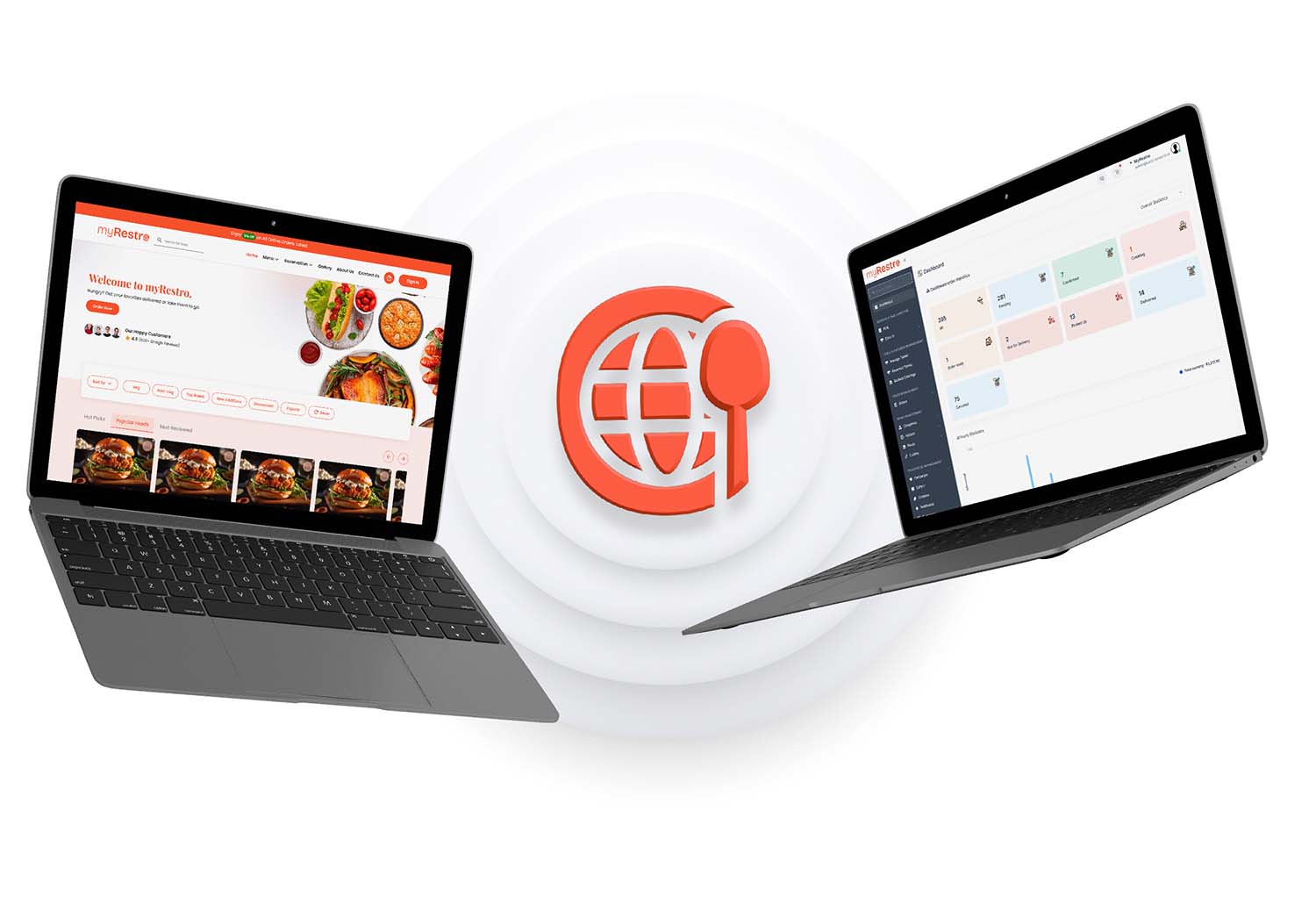
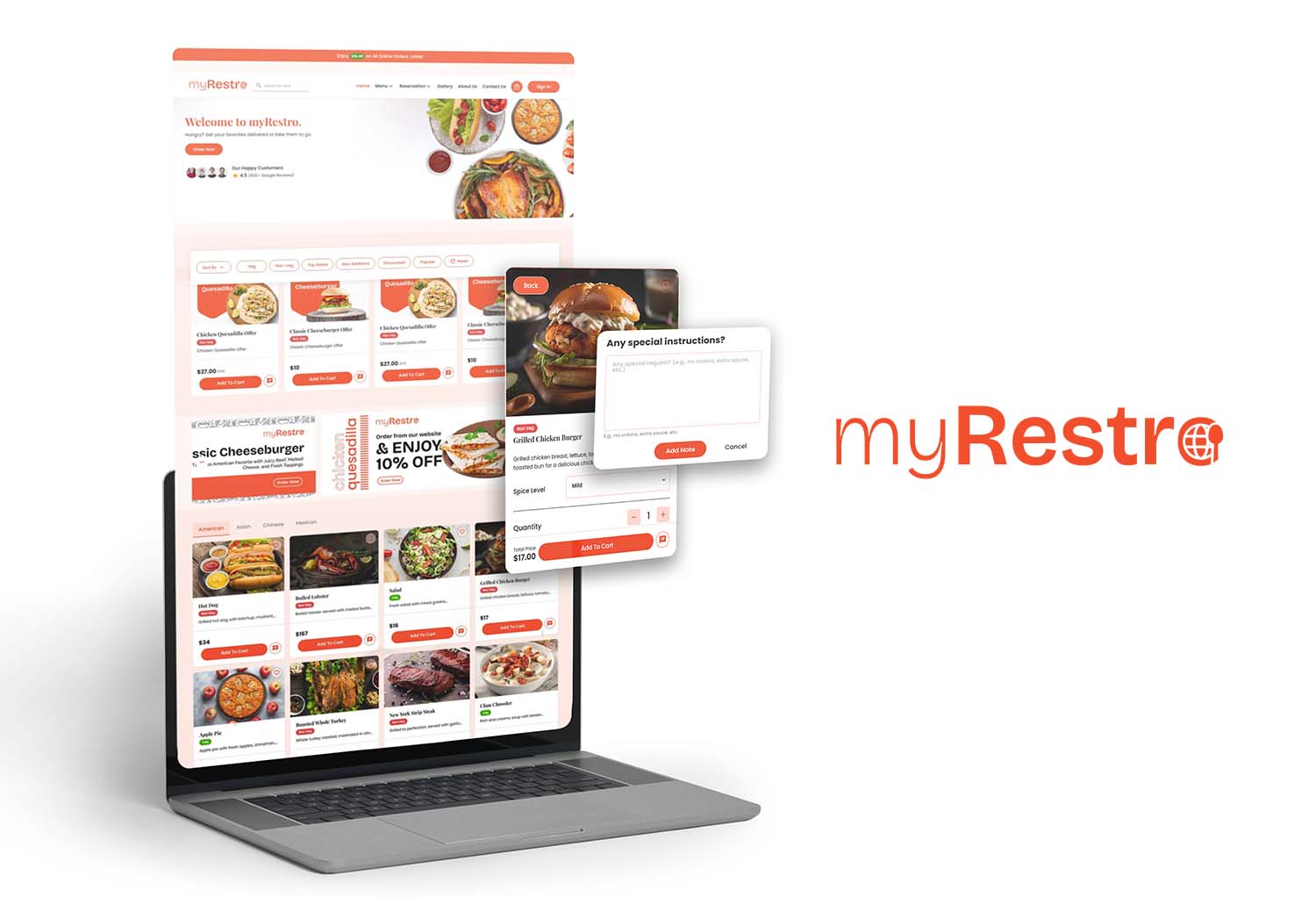
myRestro brings restaurant ordering and management tools together in one platform.
Restaurants can use myRestro for:
- Commission-Free Online Ordering
- Branded Restaurant Website
- Online Menu Management
- QR Code Menu
- Delivery & Pickup Management
- Table Reservation Management
- Catering Management
- Email & SMS Marketing
- Customer Management
- Restaurant Management Tools
Instead of managing separate systems for different parts of your restaurant, myRestro is designed to bring essential restaurant tools together.
Why a Free Trial Matters
Choosing an online ordering platform is easier when you can test it before making a long-term commitment.
During a trial, restaurant owners can test the platform using real-world scenarios:
Customer: Place a takeout order.
Staff: Receives and manages the order.
Kitchen: Prepare the order.
Customer: Receives confirmation and picks it up.
You can also test delivery orders, menu updates, customer management, and marketing features.
This gives your team a better understanding of how the software fits into daily operations.
👉 Related: Best Restaurant Software Free Trial 2026: What Should Restaurant Owners Look For?
Frequently Asked Questions
What is an online ordering system for takeout and delivery?
It is software that allows customers to order food online and gives restaurants tools to receive and manage pickup and delivery orders.
What should restaurants look for in an online ordering system?
Important features include online ordering, menu management, pickup and delivery management, online payments, a branded website, customer management, marketing, reporting, and easy staff workflows.
Can restaurants accept online orders without third-party apps?
Yes. Restaurants can use direct online ordering systems that allow customers to order through the restaurant's own website or digital ordering channel.
Are commission-free ordering systems available?
Yes. Some restaurant ordering platforms offer commission-free direct ordering. Restaurants should still review the complete pricing structure for subscriptions, payment processing, setup, and other fees.
Can an online ordering system manage both pickup and delivery?
Many platforms support both. Restaurants should verify how each platform handles pickup scheduling, delivery areas, order status, and customer information.
Can online ordering work with a restaurant website?
Yes. Many restaurant ordering systems can integrate ordering directly into a restaurant's branded website.
Is online ordering useful for small restaurants?
It can provide another direct channel for customers to place orders without requiring the restaurant to build and maintain its own ordering technology from scratch.
Start Taking Direct Orders With myRestro
Your restaurant's online ordering system should make ordering easier for customers and order management simpler for your team.
myRestro combines online ordering, restaurant management, website tools, marketing, reservations, catering, and customer management in one platform.
Get started with myRestro:
- 90-Day Free Trial
- Commission-Free Online Ordering
- No Setup Fees
- Branded Restaurant Website
- Digital Menu & QR Code Menu
- Pickup & Delivery Management
- Table Reservations
- Catering Management
- Email & SMS Marketing
- Customer Management
Contact: +1 (562) 366-0646
Email: [email protected]
Website: https://myrestro.io
0 Comments